



Progenesis LC-MS v4.1 - user guide and tutorial data set
These user guides give detailed information on how to use this software. The LC-MS user guide leads you through the steps necessary to analyse your data in Progenesis LC-MS. The LC-MS fractionation user guide explains how to combine a fractionated experiment into a single analysis.
The LC-MS user guide
In Progenesis LC-MS, the first step of any analysis is to create an experiment file and import the MS run data files into it. For this user guide, the process is simplified, as we already have an archived experiment that we can restore. Download it here:
LC-MS Tutorial.zip (253MB)
Extract the contents of that file to any folder on your PC. The folder will then contain a file named LC-MS Tutorial.ProgenesisLcmsArchive. To open this experiment, simply double-click on the extracted file; Progenesis LC-MS will start and you will see the following prompt:
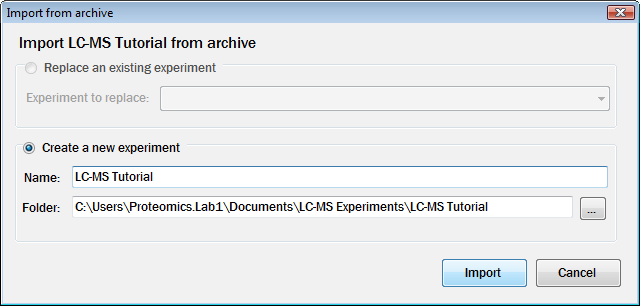
For this tutorial, just click the Import button to accept the default Name and Folder values in the prompt. Progenesis LC-MS then loads the experiment and we're ready to begin analysis.
Follow the steps outlined in the
Progenesis LC‑MS User Guide.pdf (6MB)
The LC-MS fractionation user guide
This user guide explains how to combine multi-fraction experiments into a single analysis.