




I get the error message
“This data cannot be accessed because no Thermo file reader libraries were found” (show me)
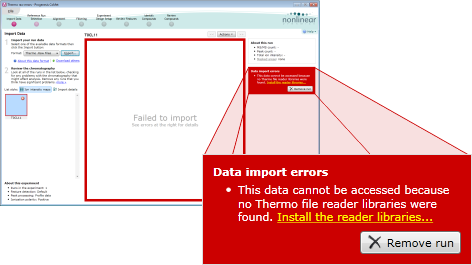
You may see this message if you do not have suitable Thermo libraries available on your computer. This may be because you either have no libraries installed or you have older libraries that are not suitable for the files you are trying to load. For example, you may be trying to load Velos data with a version of Xcalibur older than v2.1 installed.
To solve this problem, please download and install the MSFileReader from Thermo - this can be obtained by contacting your Thermo representative.