



How (& why) should I order my fractions after importing them?
While it has no effect on the measurements, putting the fractions in their original order helps you to see which proteins spanned the boundary between adjacent fractions. This is most clearly seen in the Review Proteins screen:
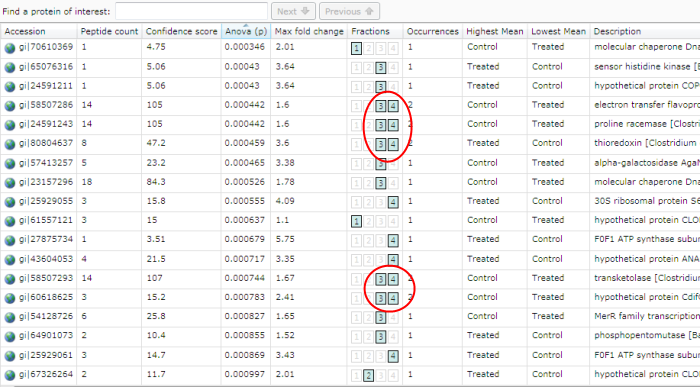
Notice how the Fractions column shows several proteins spanning the boundary between the 3rd and 4th fractions.
Correctly ordering the fractions is also important to get the best information out of the Peptides per fraction chart.
Reordering the fractions
If not already correct, the order of the fractions can be changed on the Import Fractions screen. Simply select a fraction in the list and drag it up or down until it reaches the desired position.